 Gearfuse Technology, Science, Culture & More
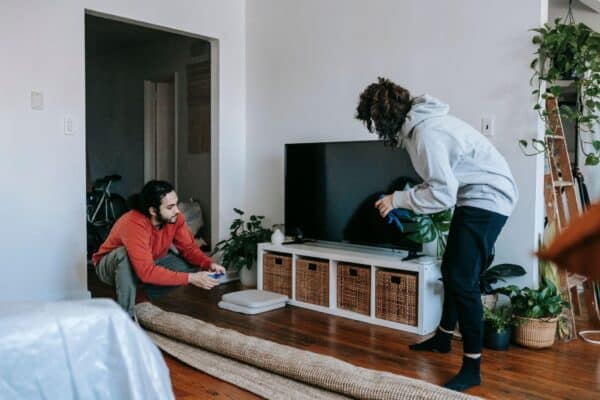
Moving into a new home is exciting, but it can also feel a little disorienting once the lights, speakers, cameras, thermostat, and sensors that quietly run daily life all get unplugged and boxed up at once. Those devices become part of a household’s rhythm without anyone really noticing, until they’re gone from the walls and scattered across a dozen labeled boxes, and the whole move suddenly feels a lot more complicated than it did an hour earlier.
Here’s the reassuring part, though. Transferring smart home devices doesn’t have to turn into a headache. Most of the trouble people run into comes down to rushing the process, losing track of account details, or trying to reconnect everything at once in one long, frustrating evening. With a little planning, it’s entirely possible to move devices safely and rebuild the setup without losing an entire weekend to troubleshooting.
Start With a Complete Device List
Before disconnecting anything, it helps to put together a full list of every smart device in the home. Start with the obvious ones: smart speakers, cameras, doorbells, light bulbs, plugs, thermostats, locks, and hubs. Then hunt down the easy-to-forget items too, things like motion sensors, water leak detectors, garage controllers, and smart power strips tucked behind furniture that nobody remembers plugging in.
Writing down the brand, model, room, account, and app connected to each device pays off later. It’s also worth noting whether a device depends on a hub, a bridge, or a specific Wi-Fi network to function at all.
That list becomes the actual moving checklist by the end of it. It also keeps a stray sensor, cable, mounting bracket, or power adapter from getting left behind in a drawer at the old place.
Taking photos of the current setup before anything gets removed is worth the extra five minutes. A picture of the wiring behind the thermostat, the exact position of the security cameras, and the tangle of connections around the router or hub can save real time once everything gets reinstalled on the other end.
Check What Belongs to the Property
Not every smart device is meant to make the trip. Some devices count as part of the property, especially anything permanently installed into the walls or wiring.
A smart thermostat, wired doorbell, wall switch, or built-in security system may need to stay behind, and that usually depends on the sales agreement, the lease terms, or local rules around fixtures. Anyone selling a home should get clear on which devices are included well before packing any of them away.
Personal accounts should also come off any device that stays behind. Resetting the device, deleting saved recordings where that makes sense, and removing it from the app protects personal information and makes life a lot easier for whoever moves in next.
This isn’t something to save for moving day. Account transfers and factory resets tend to take longer than expected, so it’s worth handling early rather than at the last minute.
Plan the Internet Setup Early
Scheduling internet installation before move-in day, or as close to arrival as it can get, saves a lot of frustration later. Anyone still comparing moving costs and services around the same time might find this a good moment to request a moving quote as well, lining up other household arrangements around roughly the same schedule instead of juggling everything separately.
One of the easiest ways to get devices reconnecting on their own is keeping the same Wi-Fi network name and password at the new place. A lot of smart devices reconnect automatically the moment they spot a familiar network, almost like nothing happened.
That trick only works, though, if the new router supports the same security settings as the old one. Some older smart devices need a 2.4 GHz network specifically and can struggle to connect on certain combined or more advanced network setups.
Anyone planning to switch to a new network name or password should expect to reconnect devices one at a time, patiently, rather than all at once.
Back Up Important Settings
Plenty of smart home platforms allow routines, room assignments, automations, and device groups to be saved ahead of time. Reviewing app settings before the move and confirming everything is tied to the right account is worth doing early, before the packing tape comes out.
Screenshots of important routines are worth taking too. A morning lighting schedule, a security routine, or a single voice command that controls half a dozen devices at once can be surprisingly easy to forget the exact details of later.
Cloud-based settings usually stick around in the account itself, but assuming every detail will transfer perfectly is a common mistake. Device names, room locations, and local hub settings often need rebuilding from scratch on the other end.
Knowing the passwords for every account matters here as well. Updating an outdated recovery email and confirming that two-factor authentication is actually working, before any devices get disconnected, saves a headache down the road.
Label and Pack Devices Carefully
Smart devices tend to be small, fragile, and remarkably good at separating from their accessories the moment they’re out of place. Packing them by room or device type, and labeling every box clearly, keeps that chaos from spreading.
Keeping power adapters with the correct devices matters more than it seems. A simple piece of tape with the device name written on it prevents a lot of confusion weeks later. Screws, mounting plates, brackets, and specialty tools belong in small labeled bags of their own, not loose in the bottom of a box.
Cameras, sensors, smart displays, and thermostats need careful wrapping, with nothing heavy stacked on top of them. Batteries should come out of anything that might sit packed away for a while.
Keeping the router, primary hub, smart speaker, and essential cables in one immediately accessible box is worth the extra planning too. Those items form the entire foundation the rest of the setup gets built on.
Set Up the New Home in the Right Order
Once arrival finally happens, resisting the urge to reconnect everything at once is harder than it sounds, but it pays off. Starting with the basic infrastructure first makes everything after it go smoother.
Setting up the modem and router comes first. Confirming that the internet connection is actually stable in the rooms where devices will end up, and walking through the home checking for weak signal spots, takes maybe ten minutes and saves a lot of guessing later.
Connecting the main smart home hub, bridge, or primary speaker comes next, and testing that platform on its own before layering anything else on top of it is worth the patience.
Installing devices in order of importance tends to work best after that. Security devices usually come first, cameras, doorbells, locks, and entry sensors. After that, lighting, thermostats, plugs, speakers, and everything else in the convenience category can follow.
Working in stages makes troubleshooting far easier than tackling it all at once. Ten devices going dark simultaneously is nearly impossible to diagnose. One device at a time, though, and problems tend to become obvious almost immediately.
Review Device Placement
A new home comes with a different layout, different walls, and different sources of interference nobody accounted for in advance. A camera angle that worked perfectly in the old place might turn out to be useless here. A sensor might need to sit closer to a hub than before. A smart speaker might struggle to hear commands from across a bigger room than it’s used to.
Taking time to reconsider where each device actually belongs now, rather than assuming its old spot still makes sense, pays off quickly.
Routers and hubs shouldn’t get tucked inside cabinets or hidden behind large appliances, since thick walls, mirrors, metal surfaces, and other electronics can all weaken a wireless signal more than expected.
Some rooms might need extra devices too. A bigger home could call for a mesh Wi-Fi system, more smart speakers, or additional motion sensors, though it’s worth testing the existing setup thoroughly first before buying anything new.
Update Rooms, Routines, and Permissions
Once devices are reconnected, updating their names and room assignments makes a real difference. Clear labels make voice commands a lot more reliable and cut down on the kind of small mistakes that pile up fast.
A light once labeled “bedroom lamp” might now sit in the office. A sensor might have moved from the front door to the garage entirely. Updating these details before rebuilding routines on top of them saves a lot of confusion later.
Household access deserves a review too. Former residents, old roommates, temporary guests, and leftover family accounts should all get removed, and whoever should actually have access in the new place can be invited properly once that’s done.
Smart locks, cameras, and security systems need extra attention here especially. Entry codes should change, notification settings should get reviewed, and emergency contacts need to be current and correct, not whatever was set up years ago and forgotten.
Test Everything Before Relying on It
A device showing up online doesn’t automatically mean it’s actually working the way it should. Every device deserves a real test under real conditions before anyone trusts it fully.
Locking and unlocking smart doors, triggering motion sensors on purpose, pulling up live camera feeds, adjusting the thermostat by hand, and turning lights on and off through both the app and voice commands are all worth doing early. Checking whether alerts actually land on a phone matters just as much.
Automations should get tested at the exact times they’re meant to run. A routine can still technically exist in an account and still fail quietly, simply because a device name or room assignment changed somewhere along the way without anyone noticing.
Keeping notes on any problems and working through them one at a time helps more than trying to fix everything simultaneously. Restarting the router, updating device firmware, or removing and re-adding a stubborn device solves a surprising number of common issues on its own.
Give the Setup Time to Rebuild
A smart home rarely comes back together in a single afternoon, no matter how carefully it was packed. Some devices reconnect almost instantly. Others need a factory reset, a software update, or a completely new spot before they’ll behave properly.
Focusing first on whatever supports safety, comfort, and daily routines makes the most sense. The rest can follow gradually, without any rush attached to it.
Moving is demanding enough on its own, and a smart home should make that transition easier, not pile on more pressure during an already exhausting week. A careful inventory, an organized packing process, and a step-by-step setup cut down on surprises considerably, more than most people expect going in.
Once everything is finally connected again, the new place starts feeling a lot more familiar almost overnight. The lights respond, the routines come back, and whatever technology once supported the old home quietly starts doing the same job in the new one.