 Gearfuse Technology, Science, Culture & More
In today’s connected world, smartphones have become extensions of our daily lives. We use them for banking, shopping, communication, and storing sensitive personal information. With over 7 billion smartphone users globally, the security of these devices has never been more critical.
The smartphone market is dominated by two operating systems: Android and iOS. Together, they power nearly every smartphone on the planet. But when it comes to protecting your data, privacy, and digital identity, which one does a better job?
This guide provides a thorough comparison of Android vs iOS security. We’ll explore their architectures, security features, vulnerabilities, and help you understand which platform might be the safer choice for your needs.
Quick Answer
If you want the short version: iOS is more secure for most users. Apple’s closed ecosystem, consistent updates across all devices, and strict App Store controls create a safer environment with less room for user error. Android can be equally secure on flagship devices like Google Pixel or Samsung Galaxy phones, but security varies dramatically across the thousands of Android devices available. Most Android phones suffer from delayed updates and inconsistent security implementations.
Choose iOS if you prioritize security and privacy with minimal effort, want guaranteed long-term updates, and prefer a locked-down system that prevents most security mistakes.
Choose Android if you’re buying a flagship device from Google or Samsung, need customization options, understand security risks, and are willing to actively manage your device’s security settings.
For the detailed breakdown of how these platforms differ, keep reading below.
What Is Android Security?

Android is an open-source operating system developed by Google. This openness is both a strength and a potential weakness. Unlike iOS, Android’s code is publicly available, allowing developers, manufacturers, and security researchers to examine and improve it.
Google secures Android through multiple layers of protection. These include built-in operating system features, Google Play Services integration, and partnerships with device manufacturers. The security framework combines software protections with hardware-level safeguards.
Because Android runs on devices from hundreds of manufacturers, security implementation can vary significantly. A Google Pixel phone may have different security features than a Samsung Galaxy or a budget device from a lesser-known brand.
Key Components of Android Security
Google Play Protect is Android’s built-in malware defense system. It continuously scans apps on your device and in the Play Store, checking for harmful behavior. Over 100 billion apps are scanned daily, providing real-time protection against threats.
Verified Boot ensures that all executed code comes from trusted sources. When you turn on your Android device, it checks each component from the bootloader up through the operating system. If tampering is detected, the device won’t boot normally.
App sandboxing isolates each application in its own secure environment. This means one compromised app can’t easily access data from other apps or system resources. Each app runs with limited privileges, reducing potential damage from malicious software.
Monthly security patches address newly discovered vulnerabilities. Google releases these updates regularly, though the speed at which they reach your device depends on your manufacturer and carrier.
Many manufacturers add their own security enhancements. Samsung Knox provides military-grade security features. Google’s Pixel phones include the Titan M2 security chip for hardware-level protection. These additions can significantly strengthen Android security on premium devices.
Also Read: How to See Recently Deleted Apps On iPhone and Android
What Is iOS Security?
iOS is Apple’s proprietary operating system, used exclusively on iPhones. Unlike Android, iOS operates within a closed ecosystem where Apple controls every aspect of the hardware and software experience.
This unified control allows Apple to implement security measures consistently across all devices. Every iPhone runs the same iOS version with the same security features, creating a standardized and predictable security environment.
Apple has built its brand around privacy and security. The company positions itself as a guardian of user data, often clashing with governments and law enforcement over encryption and user privacy rights.
Key Components of iOS Security
The Secure Enclave is a dedicated security coprocessor built into Apple’s chips. It handles sensitive operations like biometric authentication and encryption key management, isolated from the main processor. Even if the operating system is compromised, the Secure Enclave remains protected.
Apple’s App Store employs a rigorous review process. Every app must pass both automated security checks and human review before becoming available. While not foolproof, this system significantly reduces the likelihood of malicious apps reaching users.
iOS’s permission model gives users granular control over what apps can access. Apps must explicitly request permission for sensitive data like location, photos, contacts, and camera access. Users can revoke these permissions at any time.
Apple delivers regular software updates to all supported devices simultaneously. When a security patch is released, every compatible iPhone worldwide can install it immediately. This rapid, universal deployment is a significant security advantage.
Device encryption is enabled by default on iOS. All data stored on your iPhone is encrypted using hardware-accelerated encryption. Biometric authentication through Face ID or Touch ID provides secure, convenient access while keeping your data protected.
Also Read: 10 Free Offline Music Apps for Android/iOS
Key Factors to Compare: Android vs iOS Security
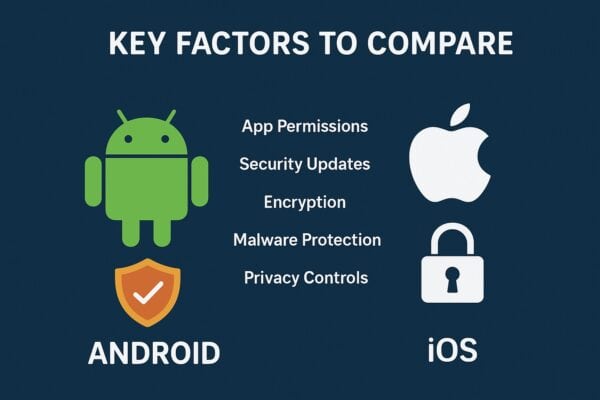
Operating System Architecture
The fundamental difference between Android and iOS lies in their philosophical approach. Android embraces openness and flexibility, while iOS prioritizes control and uniformity.
Android’s open-source nature allows anyone to examine the code for vulnerabilities. This transparency can lead to faster identification of security flaws. However, it also means potential attackers have access to the same information.
iOS’s closed ecosystem limits what users and developers can do, but this restriction creates a more controlled security environment. Apple’s tight integration of hardware and software allows for security optimizations impossible on Android’s diverse device ecosystem.
The trade-off is clear: Android offers freedom and customization, while iOS provides consistency and standardization. From a pure security standpoint, closed systems are generally easier to secure.
App Store Security & App Vetting
Google Play Store uses automated scanning systems to detect malicious apps. Google Play Protect analyzes app behavior and flags suspicious activity. However, the automated nature of this process means some threats slip through.
Apple’s App Store combines automated tools with human review. This dual-layer approach is more thorough but slower. Apps wait longer for approval, but malicious software has a harder time getting listed.
Android allows installation from third-party app stores and direct APK files. This flexibility is valuable for advanced users but dramatically increases security risks. Many Android malware infections come from apps downloaded outside the Play Store.
iOS restricts app installation to the App Store only (unless the device is jailbroken). This limitation frustrates some users but significantly reduces malware exposure. The walled garden approach is restrictive but effective.
Software Updates & Patch Delivery
iOS excels in software update delivery. When Apple releases an update, all supported iPhones can install it immediately. Support typically extends five to six years from a device’s release date.
Android faces significant fragmentation challenges. Google releases updates promptly for Pixel devices, but other manufacturers must adapt these updates for their hardware. Carriers may add another layer of delay.
Many Android devices never receive updates after purchase. Budget and mid-range phones often get minimal support. Even flagship devices from some manufacturers receive inconsistent updates.
This fragmentation means millions of Android devices run outdated software with known vulnerabilities. In contrast, the vast majority of iOS devices run recent, secure versions of the operating system.
Device Encryption
Both platforms implement strong encryption, but with different approaches. Android uses file-based encryption, which became mandatory starting with Android 10. This encrypts individual files and allows for different encryption keys for different user profiles.
iOS uses hardware-backed encryption enabled by default on all devices. The Secure Enclave manages encryption keys, making them nearly impossible to extract even with physical device access.
Both systems encrypt data at rest and in transit. The practical security difference for most users is minimal, though iOS’s hardware-integrated approach offers slightly stronger protection against sophisticated attacks.
Hardware Security
iOS benefits from Apple’s vertical integration. Every iPhone includes dedicated security hardware like the Secure Enclave. This consistency ensures all users receive the same level of hardware protection.
Android security hardware varies dramatically by manufacturer and device price point. Google Pixel phones include the Titan security chip. Samsung’s flagship devices feature Knox security. Budget Android phones may lack specialized security hardware entirely.
This inconsistency means Android security is highly device-dependent. A flagship Samsung or Google phone can match or exceed iPhone security, but a budget Android device likely cannot.
App Permissions & Privacy Controls
Both operating systems have evolved to give users control over app permissions. Android 12 and later versions include privacy dashboards showing which apps accessed sensitive data. Permission controls are granular and easy to manage.
iOS introduced App Tracking Transparency, requiring apps to ask permission before tracking users across other apps and websites. This feature significantly impacted how apps collect user data.
Android offers similar controls, though implementation varies by device manufacturer. Google’s Pixel phones include additional privacy features not available on all Android devices.
Both platforms now alert users when apps access the camera or microphone in the background. Overall, iOS maintains a slight edge in privacy transparency, but Android has closed the gap considerably.
Sideloading & App Installation Freedom
Android permits APK sideloading, allowing users to install apps from sources outside the Play Store. This freedom appeals to power users and is essential in regions where Play Store access is limited.
However, sideloading is the primary vector for Android malware. Users who download apps from untrusted sources expose themselves to significant risk. Many sophisticated malware campaigns target Android specifically because of this capability.
iOS prohibits sideloading on non-jailbroken devices. Apps must come from the App Store. This restriction eliminates a major attack vector but limits user freedom.
Recent regulatory changes, particularly in the European Union, are forcing Apple to allow alternative app stores. How this affects iOS security remains to be seen, but it will likely increase vulnerability.
Malware Risk & Threat Landscape
Android faces significantly higher malware risk than iOS. Multiple factors contribute to this: open ecosystem, sideloading capability, fragmented updates, and the platform’s larger global market share.
Security researchers consistently find more malware targeting Android. Banking trojans, spyware, and ransomware frequently appear on Android devices, particularly those that sideload apps or use third-party stores.
iOS is not immune to malware, but infections are rare. When iOS malware appears, it typically requires sophisticated exploits or social engineering. Most iPhone users will never encounter malware.
The practical implication: average Android users face higher malware risk than average iOS users. However, Android users who practice good security hygiene (no sideloading, prompt updates, Play Store only) can significantly reduce this risk.
Enterprise & Business Security
Both platforms offer robust enterprise security solutions. Android Enterprise provides work profiles that separate personal and business data on the same device. IT administrators can manage security policies, app distribution, and device settings.
Apple Business Manager integrates with Mobile Device Management (MDM) solutions for comprehensive device oversight. IT departments can enforce security policies, remotely wipe devices, and manage app deployment.
iOS’s uniformity makes enterprise management simpler. Every device behaves identically, simplifying policy deployment. Android’s diversity can complicate management but offers more deployment flexibility.
For sensitive enterprise environments, both platforms meet security requirements when properly configured. The choice often comes down to existing infrastructure and management preferences rather than pure security capabilities.
Also Read: Best 3rd Party App Stores Alternative for iOS & Android
Android Security: Strengths & Weaknesses
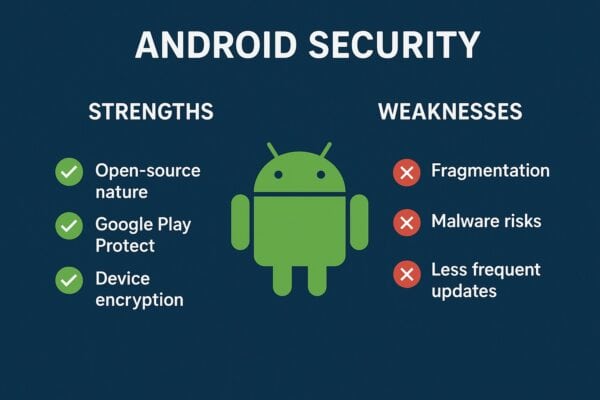
Pros of Android Security
Android’s open-source nature allows security researchers worldwide to examine the code. Vulnerabilities can be identified and fixed faster through community collaboration. This transparency builds trust and enables continuous improvement.
Premium Android devices from Google and Samsung offer excellent security. These manufacturers implement additional protections beyond stock Android, creating devices that rival or exceed iPhone security.
Android provides granular app permissions with fine-tuned control. Users can grant or deny specific permissions, allowing partial app functionality without surrendering complete access to sensitive data.
The multi-layered security approach combines Google’s protections with manufacturer enhancements. Samsung Knox, for example, adds hardware-based security features that strengthen the overall security posture.
Google Play Protect provides real-time scanning and threat detection. This system continuously monitors device behavior and automatically removes detected threats, offering ongoing protection beyond installation.
Cons of Android Security
Device fragmentation remains Android’s biggest security challenge. With thousands of device models running different Android versions, ensuring consistent security is nearly impossible. Many devices never receive updates.
Software update inconsistency varies by manufacturer and carrier. While Google Pixel phones receive prompt updates, other brands may delay patches for months. Budget devices often receive no updates at all.
Sideloading capability increases malware risk significantly. Users who install apps from untrusted sources expose themselves to threats that would never appear in the Play Store.
Security quality varies dramatically by manufacturer. A flagship device offers excellent protection, while a budget phone might lack basic security features. This inconsistency makes general statements about “Android security” difficult.
Third-party app stores operate with less oversight than Google Play. Users who download from these sources face higher risk of encountering malicious software disguised as legitimate apps.
Also Read: How To Restore Deleted Apps on Android in 6 Easy Methods
iOS Security: Strengths & Weaknesses
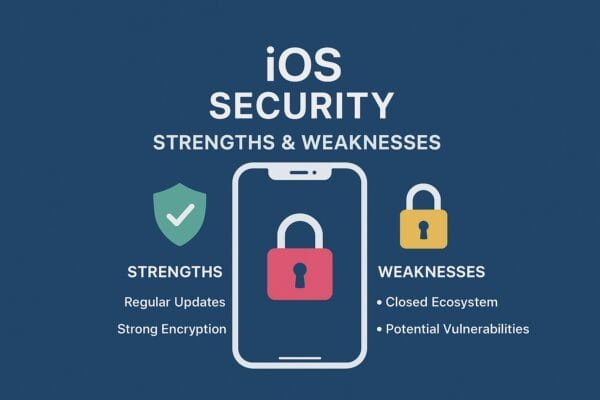
Pros of iOS Security
The closed ecosystem gives Apple complete control over security implementation. This uniformity ensures every iPhone receives the same protections, eliminating the fragmentation problems that plague Android.
App Store review processes create multiple barriers for malicious apps. Both automated systems and human reviewers examine apps before approval, significantly reducing the likelihood of malware reaching users.
Uniform and rapid security updates reach all supported devices simultaneously. When vulnerabilities are discovered, Apple can patch every compatible iPhone worldwide within days.
Strong hardware-backed encryption protects user data at rest. The Secure Enclave handles sensitive cryptographic operations in isolation, making key extraction nearly impossible even with physical device access.
Superior privacy controls give users transparency and control over data collection. App Tracking Transparency and privacy labels inform users about how apps use their data.
Cons of iOS Security
Limited freedom frustrates advanced users and developers. The restrictions that enhance security also prevent legitimate customization and functionality that power users desire.
No sideloading capability removes user choice. While this enhances security, it also creates an effective monopoly for Apple over app distribution, raising antitrust concerns.
Over-reliance on Apple for security fixes creates single-point-of-failure risks. If Apple is slow to patch a vulnerability, users have no alternative solutions or workarounds.
Jailbroken devices become extremely vulnerable. Users who jailbreak to bypass Apple’s restrictions eliminate most of iOS’s security advantages, exposing themselves to the very threats iOS is designed to prevent.
Also Read: Codes To Check If A Phone Is Being Tracked Or Hacked
In-Depth Comparison: Android vs iOS Security
Malware Vulnerability
Android’s malware vulnerability is substantially higher due to ecosystem openness and sideloading. Security research consistently shows Android accounts for the vast majority of mobile malware infections.
Most Android malware comes from sources outside the Google Play Store. Users who download APK files from websites or third-party stores face the greatest risk. Play Store apps occasionally contain malware, but Google’s detection systems catch most threats.
iOS malware is rare but not impossible. High-profile examples include Pegasus spyware, which exploited zero-day vulnerabilities to infect iPhones. However, such attacks require sophisticated resources and target high-value individuals.
For average users, iOS presents far lower malware risk. Android users who stick to the Play Store and maintain updated devices face moderate risk. Android users who sideload apps face high risk.
App Security
Google Play Store scans apps using automated systems. Play Protect analyzes behavior patterns, permission requests, and code structure. Suspicious apps are flagged or removed, but automated systems can miss sophisticated threats.
Apple’s App Store combines automated scanning with human review. This process is more thorough but creates longer approval times. Apps undergo multiple checks before becoming available to users.
Research suggests roughly 0.02% of Play Store apps contain malware, compared to less than 0.01% for the App Store. While both percentages are small, the difference is significant at scale with billions of apps installed.
Both platforms have experienced security failures. Malicious apps occasionally slip through both stores. However, iOS’s multi-layered review process provides stronger protection overall.
Data Protection
Both platforms implement strong encryption. Android’s file-based encryption and iOS’s hardware-backed encryption both protect data effectively against most threats.
The practical difference lies in implementation consistency. Every iPhone encrypts data by default with hardware support. Android encryption quality varies by device, with budget phones potentially lacking proper implementation.
Backup protections differ between Google Drive and iCloud. Both services encrypt data in transit and at rest, but Apple’s end-to-end encryption for certain data types provides stronger privacy guarantees.
iOS’s integration of encryption with the Secure Enclave provides additional protection against advanced attacks. For most users, both platforms offer adequate data protection, but iOS edges ahead for high-security scenarios.
Biometric Security
Face ID on iPhones uses sophisticated 3D facial mapping with infrared sensors. This technology is highly secure, with a false acceptance rate of approximately one in a million.
Android face unlock implementations vary by manufacturer. Some use simple camera-based recognition that can be fooled with photos. Premium devices like Pixel phones use more sophisticated systems, but consistency across the Android ecosystem is lacking.
Fingerprint authentication on iOS (Touch ID) and Android both offer strong security. Implementation quality varies on Android devices, with ultrasonic and optical sensors providing different security levels.
Overall, iOS biometric security is more consistent. While flagship Android devices match iPhone capabilities, many Android phones use less secure biometric implementations.
Network Security
Both platforms support VPN usage for encrypted network connections. iOS has native VPN configuration options, while Android offers similar capabilities with additional flexibility for third-party VPN apps.
iOS automatically secures Wi-Fi connections through features like Wi-Fi privacy that uses randomized MAC addresses. Android offers similar protections, though implementation varies by manufacturer and Android version.
Neither platform offers comprehensive built-in firewall controls for average users. Enterprise and managed devices can implement network security policies, but consumer devices rely primarily on app-level permissions.
Network security capabilities are largely equivalent between platforms. The difference lies in user behavior and security awareness rather than platform capabilities.
User Behavior & Its Impact on Security
Even the most secure operating system cannot protect users from their own mistakes. Human error remains the weakest link in any security system, and both Android and iOS users face similar threats from poor decisions.
Phishing attacks target users regardless of platform. Fraudulent emails, text messages, and websites trick users into revealing passwords, financial information, or installing malicious software. No operating system can fully prevent these social engineering attacks.
Fake apps exploit user inattention. Malicious actors create apps with names and icons similar to legitimate ones, hoping users won’t notice the difference. Both Play Store and App Store have seen fake apps, though they’re more common on Android.
Malware links in messages and emails pose risks across platforms. Users who click suspicious links or download unexpected attachments expose themselves regardless of whether they use Android or iOS.
Weak passwords and password reuse compromise accounts. Using the same password across multiple services means one breach can cascade into multiple compromised accounts. Both platforms offer password managers to mitigate this risk.
Public Wi-Fi usage without VPN protection exposes data to interception. Many users connect to unsecured networks without considering the risks, allowing potential attackers to eavesdrop on communications.
Ignoring software updates leaves devices vulnerable. Some users delay or skip updates due to inconvenience, leaving known vulnerabilities unpatched. This behavior negates much of the security both platforms provide.
Security awareness and good digital hygiene dramatically improve security outcomes. Users who practice caution, maintain updated devices, use strong unique passwords, and avoid suspicious content remain secure on either platform.
Summary Table: Android vs iOS Security
| Factor | Android | iOS |
|---|---|---|
| Ecosystem | Open-source, flexible | Closed, controlled |
| App Store Security | Automated scanning, moderate risk | Manual + automated review, low risk |
| Software Updates | Fragmented, manufacturer-dependent | Universal, rapid deployment |
| Device Encryption | File-based, varies by device | Hardware-backed, standard on all devices |
| Hardware Security | Varies by manufacturer | Consistent across all devices |
| Malware Risk | Higher (especially with sideloading) | Very low |
| Privacy Controls | Good, improving | Excellent, industry-leading |
| Sideloading | Allowed, increases risk | Not allowed (enhances security) |
| Update Longevity | 2-5 years (varies by brand) | 5-6 years typically |
| Enterprise Security | Android Enterprise, flexible | Apple Business Manager, consistent |
| Best For | Advanced users, customization, budget-conscious | Privacy-focused, simplicity-seeking, long-term support |
Final Verdict: Which Is More Secure?
For most users, iOS is more secure than Android. Apple’s closed ecosystem, consistent hardware-software integration, rapid universal updates, and strict App Store policies create a robust security environment that requires minimal user intervention.
iOS’s security advantages are particularly pronounced for less technical users. The platform’s restrictions prevent many common security mistakes. Users cannot accidentally sideload malware or use devices with outdated security patches.
However, Android security is not inherently inferior. On certain flagship devices from Google or Samsung, Android security matches or potentially exceeds iOS. These premium devices receive prompt updates, include advanced security hardware, and implement manufacturer-specific enhancements.
The critical qualifier is “certain flagship devices.” Most Android phones don’t fall into this category. The vast majority of Android devices worldwide run on outdated software with inconsistent security implementations.
Android’s flexibility is a double-edged sword. Advanced users who understand security implications can configure Android to be extremely secure. However, this same flexibility allows less knowledgeable users to compromise their own security through poor choices.
The best choice ultimately depends on your priorities and behavior. Choose iOS if you want maximum security with minimal effort, value privacy, prefer long-term software support, and don’t mind limited customization.
Choose Android if you need device flexibility and customization, are willing to invest time in security configuration, prefer specific manufacturers with strong security records, or require features iOS doesn’t offer.
For businesses and enterprise environments, both platforms offer adequate security when properly managed. The choice typically depends on existing infrastructure, IT capabilities, and specific organizational requirements.
FAQs
Which OS is harder to hack?
iOS is generally harder to hack due to its closed ecosystem and security architecture. iOS exploits command premium prices on the gray market—sometimes millions of dollars—because they’re rare and difficult to develop. Android exploits are more common and less valuable due to the open ecosystem and fragmented security landscape. However, flagship Android devices with proper security implementations can be nearly as difficult to compromise as iPhones.
Should you root or jailbreak your device?
No. Rooting an Android device or jailbreaking an iPhone eliminates most built-in security protections. These processes bypass security restrictions that protect against malware and unauthorized access. Rooted or jailbroken devices are far more vulnerable to attacks, and some security features stop working entirely. Unless you have specific technical requirements and understand the risks fully, keep your device in its original secure state.
Which Android phone is most secure?
Google Pixel phones are generally considered the most secure Android devices. They receive updates directly from Google on the same schedule as iOS devices, include the Titan M2 security chip, and run stock Android without manufacturer modifications that could introduce vulnerabilities. Samsung’s flagship Galaxy S series with Knox security comes in close second, offering military-grade security features and relatively prompt updates.
Are iOS updates safer than Android patches?
iOS updates reach all supported devices simultaneously, ensuring every user receives security fixes at the same time. Android security patches are released monthly by Google but must be adapted by manufacturers and sometimes carriers before reaching users. This process can take weeks or months, leaving devices vulnerable. In terms of deployment speed and consistency, iOS updates are significantly more effective at maintaining fleet-wide security.
Can malware infect an iPhone?
Yes, though it’s rare. iPhones can be infected through sophisticated exploits that target zero-day vulnerabilities, as seen with Pegasus spyware. Jailbroken iPhones are far more vulnerable to infection. However, for non-jailbroken iPhones used normally, malware infection is extremely uncommon. Most iPhone “infections” are actually phishing scams or fake security warnings rather than actual malware on the device.


