Gearfuse Technology, Science, Culture & More
Curious whether someone has blocked you on iMessage and you don’t want to risk sending a text to check?
There are some delivery and call analytics that show whether someone has blocked you. From delivery status notifications to call behaviors and FaceTime availability, this article explains practical, no texting, methods to find out.
Moreover, some block and do not disturb explanations will also be provided alongside this guide to help you figure out what really is the issue. Get the information you are seeking for without the hassle of sending a single text.
10 Ways to Tell If Someone Blocked You on iMessage Without Texting Them

It’s never good when someone stops responding to your messages. You wonder if they’re busy, avoiding you or if they’ve actually blocked you on iMessage. But sending another text to confirm can feel risky or uncomfortable especially if you fear rejection or conflict.
Fortunately there are ways to investigate without sending a message. iMessage and related Apple features can give you subtle clues if you know where to look. In this guide you’ll learn several proven, easy to follow methods to find out if you’ve been blocked without sending a single message.
We’ll also cover the difference between being blocked and other scenarios like device issues, turned off read receipts or temporary network outages. By the end you’ll have a step by step process to check for possible blocking discreetly so you can move forward with confidence.
1. Check Delivery Status of Past Messages
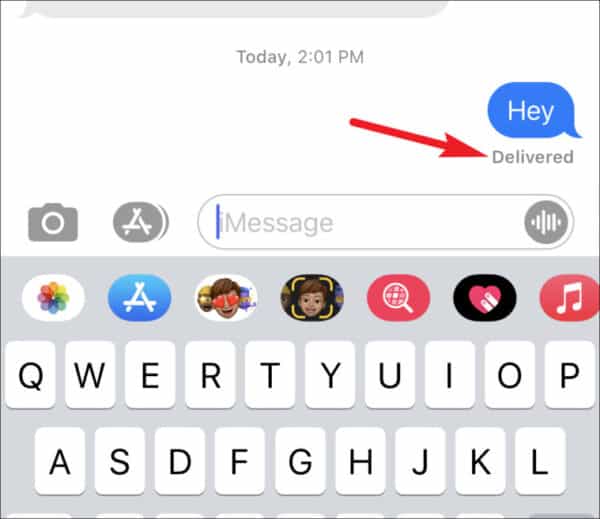
One of the most common signs of being blocked can be found in old conversations.
- Look at your last sent iMessage: If it no longer says “Delivered” and shows no status beneath the message, it could indicate blocking.
- Notice changes in Read Receipts: If they used to appear but suddenly stop for all your messages to that person, it’s a potential sign.
- Compare with other contacts: Send messages to other people to see if delivery and read receipts work normally, ruling out network or system issues.
How to Unsend iMessage on iPhone That Has Not Delivered
2. Observe Call Behavior
Phone and FaceTime calls can give you important clues without sending a text.
- Regular phone calls: If your call rings once (or not at all) before going to voicemail repeatedly, blocking is possible.
- FaceTime Audio or Video: Blocked FaceTime calls might fail instantly or ring endlessly without an answer.
- Repeated patterns: If the same call behavior happens consistently, it’s more likely due to blocking rather than temporary network problems.
3. Use FaceTime Availability
FaceTime can help you identify potential blocking.
- Attempt to initiate FaceTime: If you can’t connect and the call fails immediately, blocking is a possibility.
- Check with another Apple device: If FaceTime works for others but fails for one specific contact, that’s a strong indicator.
- Avoid repeated calling: This ensures you don’t draw unnecessary attention if you want to remain discreet.
7 Reasons Why Can’t I Download Apps on My iPhone and How to Fix the Issue
4. Check Contact’s Apple ID Activity
Sometimes changes to a person’s Apple ID can hint at blocking.
- Look for profile picture changes: If you used to see their profile photo in iMessage and it suddenly disappears, it could mean they removed you from visibility or blocked you.
- See if their name or email is still linked: Try searching their Apple ID in FaceTime or iMessage. If they’re missing, blocking is possible.
- Consider account changes: They might have switched devices or Apple IDs, which can also cause sudden changes.
5. Use Group Chats for Testing
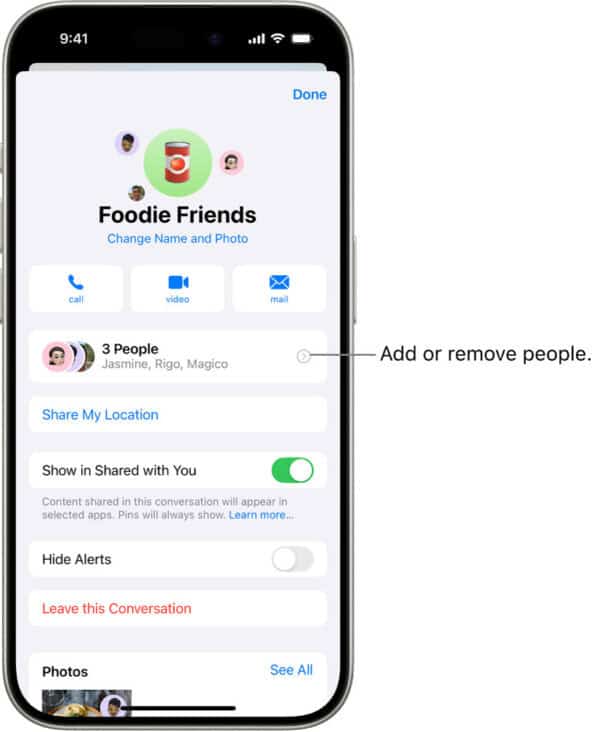
A group chat can be an indirect way to check.
- Add them to a new group iMessage: If messages to the group show “Delivered” for others but not for that person, they might have blocked you.
- See if they respond to group activity: A lack of engagement combined with other signs could point toward blocking.
- Keep it casual: Avoid making the group’s purpose seem suspicious or targeted.
8 Hidden iPhone Tricks That Will Make Your Life Easier
6. Try the “Send as Text Message” Option
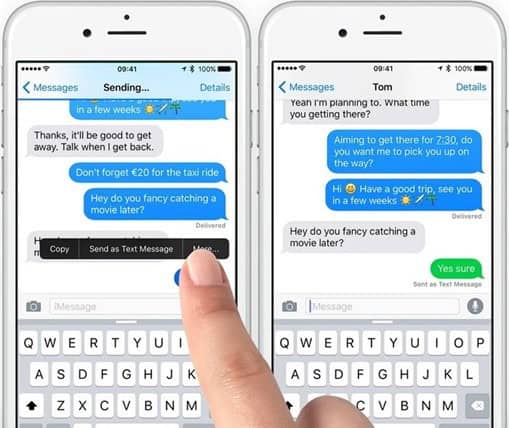
If an iMessage fails, it may switch to SMS automatically.
- Enable “Send as Text Message”: In Settings > Messages, make sure this is turned on.
- Look for SMS delivery: If SMS messages also fail or never show “Delivered,” blocking is more likely.
- Differentiate from network issues: Sometimes SMS fails due to poor signal, so confirm your network strength.
7. Compare Communication Across Devices
Apple’s ecosystem allows you to check on multiple devices.
- Use an iPad or Mac: Try initiating a FaceTime call or sending a message from a different Apple device linked to your account.
- Borrow another iPhone: If calls or FaceTime work from someone else’s device but not yours, that’s a strong sign of blocking.
- Cross-check Apple services: See if you can share content with them via AirDrop; being blocked might also restrict certain interactions.
8. Interpret Signs Carefully
It’s important not to jump to conclusions.
- Possible false positives: Network issues, Do Not Disturb, or low battery can mimic blocking behavior.
- Temporary settings changes: The other person may have turned off read receipts, muted your conversation, or temporarily disabled FaceTime.
- Wait and recheck: Check again after a day or two to confirm if the signs are consistent.
How to See Recently Deleted Apps On iPhone and Android
9. Check Contact Card Sharing in Messages
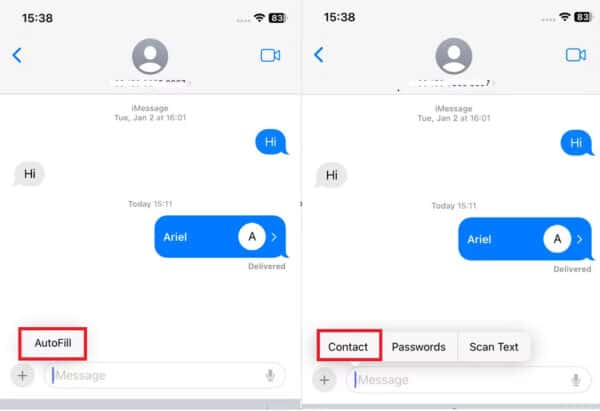
Apple devices allow users to share their contact information automatically in conversations.
- Open the conversation thread: See if their name or profile image has reverted to just a phone number without the shared card.
- Look for removed details: If they previously shared things like Memoji, profile picture, or custom name and it’s now gone, it may suggest they’ve blocked or unshared with you.
- Consider other reasons: They might have turned off Name & Photo Sharing or reset their privacy settings.
10. Try Sending an Apple Pay Request
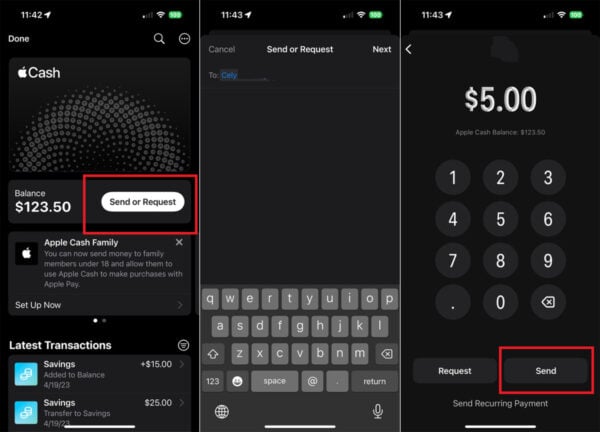
Apple Pay through iMessage can also reveal blocking clues.
- Open iMessage and tap the Apple Pay icon: Try sending a payment request.
- Watch for send failure: If the request won’t go through to that person but works for others, you could be blocked.
- Keep in mind: Payment failures can also happen if they’ve disabled Apple Pay or changed their linked Apple ID.
What Does ‘Hide Alerts’ Mean On iPhone, iPad, and Mac
FAQs
Q1. Can I be sure someone blocked me without texting them?
Not 100%. These will give you clues but only the person can confirm 100% or by texting them.
Q2. Does “Not Delivered” always mean I’m blocked?
No. It could also mean the person’s phone is off, in Airplane Mode or has no internet.
Q3. Will FaceTime work if I’m blocked on iMessage?
No. Blocking applies to both iMessage and FaceTime on Apple devices.
Q4. Can I still see someone’s location if blocked?
No. If you’re blocked, location sharing through Find My Friends or Messages stops.
Q5. How long should I wait before I assume I’m blocked?
Wait at least 24-48 hours to rule out temporary issues like poor network or phone downtime.
Can a Cleaner App Really Speed Up Your iPhone?
Conclusion
Finding out if someone has blocked you on iMessage without sending them a message requires patience, observation and interpretation of clues. From checking delivery status and FaceTime availability to testing group chats and cross device communication these methods allow you to gather evidence without being obvious. But remember no one sign is absolute proof of being blocked.
Network issues, device changes or personal settings can cause similar behavior. The best way is to look for patterns across multiple methods before you make a conclusion. Ultimately respecting the other person’s privacy and boundaries is key whether you confirm a block or not. By using these ten methods wisely you can keep your own peace of mind and avoid unnecessary tension or conflict.