Gearfuse Technology, Science, Culture & More
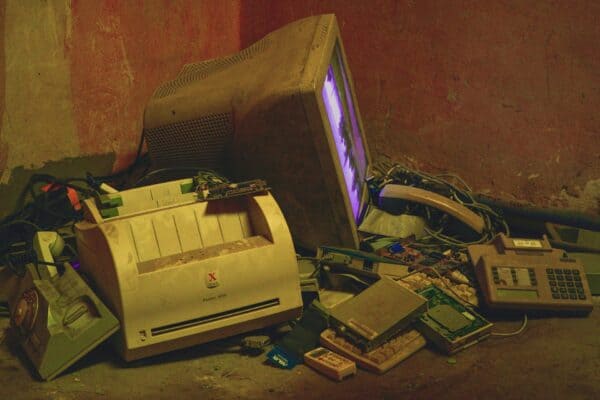
The United Nations reports that 62 million metric tons of e-waste was generated in 2024. Think about it: Those statistics clearly show why businesses should recycle, not trash, their old data center hardware.
Selling used data center equipment comes with several advantages. The secondary market values popular brands like Cisco, Dell, and HPE highly. Quick action matters because technology depreciation can affect potential returns. Small fixes and upgrades can really increase how much your home is worth when you sell it.
This guide walks you through selling your data center equipment. We’ll cover everything from getting ready and keeping things safe, to finding the right buyers and getting top dollar. Learn about data wiping techniques, pricing models, and essential documentation, it’ll make the whole thing a lot smoother.
How to Prepare Your Data Center Equipment for Sale
Good preparation makes all the difference when you sell business’s used data center equipment. You wouldn’t sell a car without cleaning it first, and data center equipment needs the same careful handling before sale. Here’s how to prep for maximum returns: follow these steps.
Taking Inventory Of Your Hardware
A detailed asset inventory sets the foundation. This significant first step needs you to catalog every piece of equipment planned for sale. You risk overlooking valuable components or creating accounting problems later without a complete inventory list.
Let’s get your assets audited, tagged, and registered. Let’s count the equipment slated for decommissioning. Running a report of ready-to-decommission equipment works great if you use an asset management system like ServiceNow. Smart hands services from specialists can help audit and tag your assets if you don’t have a system.
Your inventory should include:
- Model numbers and specifications
- Serial numbers and service tags
- Current operational status
- Installed components (processors, memory, storage)
- Physical condition notes
“Starting a decommission without a detailed list of assets, locations and serial numbers is unthinkable,” notes one industry expert. Proper financial and legal record-keeping depends on having this information.
Testing Functionality And Performance
Equipment testing follows the inventory phase. Functionality is verified, and a fair market value is established. This step is critical for success and provides a solid foundation.
Power on servers and run diagnostics to verify system integrity. Buyers appreciate honest documentation about equipment condition, so note any known issues. Network equipment needs port functionality checks and switch performance testing.
Fiber optic components need proper inspection and cleaning of fiber end-faces. Dirty components can cause performance issues and damage expensive transceivers.
Electrical components need power delivery system checks. Shield integrity verification matters for shielded cabling, since installation problems can cause failures even with proper configuration.
Cleaning And Packaging Equipment Properly
Equipment appearance affects value more than expected. Clean equipment sells for more. Buyers see this as a sign that you’re responsible and maintain your assets well.
Equipment needs shutdown and isolation before cleaning starts. HEPA filter vacuum cleaners or compressed air remove dust and debris effectively. Overheating and malfunctions are avoided. Visual inspections reveal physical damage like dents or loose components. Inspect carefully for cracks, broken ports, or other damage that reduces value.
Secure packaging prevents transit damage. Clear labeling and organized accessories with corresponding equipment make the buyer’s job easier and reflect well on you as a seller.
Gathering Documentation And Certificates
Documentation proves equipment history and condition. The law often requires it when transferring ownership of data-bearing devices. You’ll find the manuals, warranties, and service records in the original documents. The importance of documentation is clear at Microsoft; they treat it as a key system asset.
Data-bearing devices need certificates of destruction or data erasure. Buyers will be happy to see that you meet all the data security standards shown in these documents. Maintenance checks and testing need detailed logs. Every item needs to be listed; don’t forget serial numbers and specs!
“Accurate documentation cannot be stressed enough to prove data erasure, destruction, and certificates of destruction/disposal,” emphasizes one industry source. Buyers and sellers are both covered by these papers.
Data Security Steps Before Selling Used Data Center Equipment
Data security lies at the core of selling used data center equipment. The price of a security breach can be staggering: millions in losses and penalties. You just need more than file deletion – complete data elimination is essential.
Data Wiping Methods That Work
Storage devices require different wiping approaches. Hard drives and solid-state drives handle data erasure differently.
Magnetic hard drives (HDDs) can be wiped through several reliable methods:
- Overwriting: Software repeatedly writes random patterns (0s, 1s, and random characters) across all sectors. The NIST SP-800-88 and DoD 5220.22-M standards specify effective overwriting patterns.
- Degaussing: Strong magnetic fields disrupt stored data beyond recovery. Several NSA-approved degausses serve this purpose.
- Cryptographic erasure: This method deletes encryption keys. The encrypted data becomes impossible to decrypt and essentially useless.
Solid-state drives (SSDs) require a unique approach: “Overwriting alone isn’t sufficient for SSDs due to their unique architecture,” notes one security expert. Better results come from a two-part approach: firmware commands plus rewriting.
Oracle’s Secure Eraser utility shows detailed wiping capabilities. The tool “sanitizes all content, not only user data but also operating system, software, and configurations”. Physical destruction becomes your only choice for non-functional drives that can’t be wiped.
When To Use Physical Destruction
Physical destruction becomes the best option in specific situations. Highly sensitive data like financial records, patient information, or proprietary research tops the list. Storage media that fails and won’t respond to software-based methods comes next. Equipment with embedded storage that standard interfaces can’t access presents another case. Physical destruction is sometimes legally required.
“Nothing beats the physical destruction of the hard drive when it comes to absolute certainty in data destruction,” states one industry authority. You can count on shredding, crushing, and disintegration to get the job done right in industrial settings. These methods provide reliable solutions.
The highest security levels require “NSA-approved equipment” from certified destruction services. Data recovery pros can’t get around this; it’s that effective. This blocks even their best attempts.
Documentation For Compliance
Detailed documentation proves you’ve met regulatory requirements after wiping or destroying data-bearing devices. This step becomes crucial when you sell business’s used data center equipment.
“Certificates of destruction serve as proof that the data destruction process was carried out according to industry standards,” explains one expert. These certificates record the method used, date performed, and serial numbers of sanitized devices.
Your records should show an unbroken chain-of-custody that tracks equipment handlers throughout the process. Accountability? It’s crystal clear throughout.
Industry-specific compliance requirements vary:
- Healthcare: HIPAA demands secure PHI destruction
- Retail/Financial: PCI DSS requires thorough cardholder data erasure
- Global business: GDPR and CCPA have strict data disposal mandates
Proper documentation shields you legally and gives buyers confidence in receiving sanitized equipment. One authority emphasizes that “Proper documentation cannot be stressed enough to prove data erasure and destruction”.
Conclusion
Smart planning makes selling used data center equipment a profitable venture. Popular brands like Cisco and Dell hold their value well, especially with proper documentation. Your efforts to prepare equipment, secure data, and connect with the right buyers will pay off nicely.
Tax write-offs and depreciation advantages are a big deal as it means that they can boost your bottom line. The right timing of your sale and good documentation help you get the most from these financial perks.
Recycling your old equipment stops e-waste and can even make you money. Companies that sell business’s used data center equipment strike the perfect balance between profits and environmental stewardship.
The path to success depends on getting the details right – from data wiping to pricing strategies and buyer selection. A clear inventory, detailed records, and trusted partnerships with buyers or ITAD companies will deliver the best results for your business’s bottom line and environmental impact.